
Voice Packs guide
Where to Find Voice Packs
Learn where The Choicer Voicer voice packs circulate, how to check quality and compatibility, and what to review before downloading.
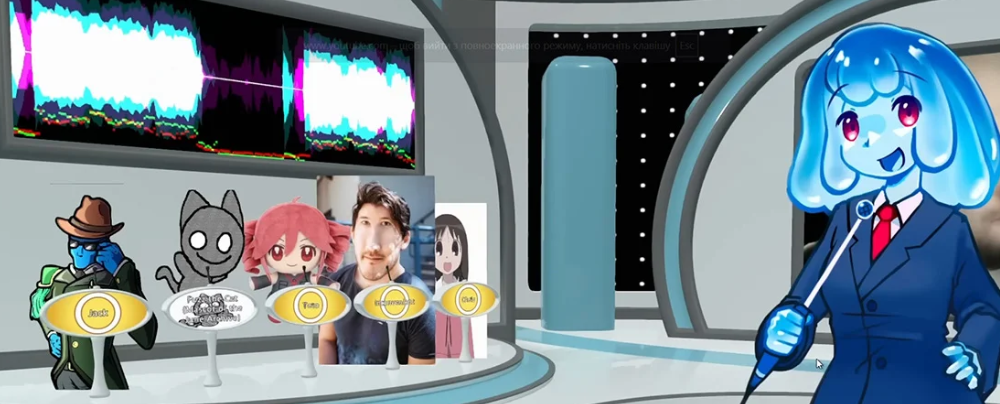
How to Tell a Good One From a Bad One
A good Voice Pack gives you clear references, predictable file organization, steady audio, and enough variety to survive more than a single round. A bad one may look impressive in a thumbnail but turn into unlabeled folders, clipped recordings, duplicate lines, or a silent slot once you install it. For The Choicer Voicer, the quality test starts before you download: can you understand what the pack contains and how it is meant to be used?
Look for these early signals:
- The creator names the source, characters, mood, or intended format.
- Sample clips sound understandable instead of distorted or buried under noise.
- The description says whether the download is a performance pack, a full themed set, or something else.
- The folder or installation notes explain where the files belong.
File count is not a quality score. A smaller, carefully selected collection is often easier to play than a huge archive filled with near-duplicates. 🔎
The Two Main Places Packs Circulate
Most packs appear in one of two places: a creator’s own page or a mod-hosting hub. Both can be useful, but they answer different questions. A creator page is better for context and maintenance history, while a hub is better for browsing many options quickly.
| Source type | Best for | What to look for |
|---|---|---|
| Creator or devlog-style page | Following one creator’s work and reading release notes. | Version history, changelog entries, installation details, and direct context. |
| Mod-hosting hub | Comparing many packs in one category. | Pack type, creator name, update date, description, and original source link. |
Built-in browser content is a separate path again. It may launch directly from the site, while a downloadable community archive can require a particular game edition and folder structure. Do not assume that a pack found in one environment belongs in the other.
When you want to compare external listings, start with the GameBanana Packs directory, then open the creator’s original page before installing anything. The original page is the better place to confirm current compatibility and read notes that a directory summary may not include.
What to Check Before You Download
Read the pack’s own description before clicking the download button. Confirm the supported game version or edition, the type of files included, and the installation location. Older packs can appear to install correctly while leaving empty slots because they expect a different structure.
Installation notes deserve special attention. Some creators place the playable folder one level deeper inside an archive, while others expect you to copy its contents into an existing directory. If the instructions mention a required folder name, slot range, or extra asset, write it down before extracting the files.
Check the update history when one is available. A recent changelog does not guarantee a perfect pack, but it shows that the creator has documented changes and may have fixed earlier problems. An abandoned upload needs more caution, especially if it targets a version of The Choicer Voicer that has since changed.
Finally, identify the content scope. A download called a “complete set” may include clips only, or it may contain hosts, judges, player voices, and studio assets as well. Knowing that difference prevents you from expecting a performance library to provide features it was never designed to include.
Reading the Difference Between Pack Categories
Pack categories tell you what kind of session the files can support. Performance Packs contain the reference material that players imitate. Dub Packs add timed scenes for longer voiceover work, so they normally need video or other scene assets in addition to audio.
The wider community also uses a few useful category labels:
- Compilation packs combine material from several smaller sets. They offer volume, but replacing one weak clip can take more digging.
- Themed packs focus on one show, franchise, creator, or mood. They may feel cohesive, but check whether the theme includes only performance lines or a full host-and-judge presentation.
- Single-creator collections are often smaller and easier to understand because one person controls the selection and tone.
- Host, Judge, Player, Menu, or Studio packs change specific parts of the show. They complement performance content rather than automatically replacing it.
The label is a starting point, not a guarantee. Read the included content list so you know whether you are downloading one type of asset or a bundle intended to work together. 📦
Judging Pack Quality Before Installing
Compare packs by curation as well as size. A large archive is useful only when its clips remain clear and distinct during actual play. If every line has the same length, mood, and delivery, the pack may feel repetitive sooner than its file count suggests.
Listen to several samples instead of judging the first file alone. Check for sudden volume changes, room noise, clipped peaks, long empty pauses, or references that are too unclear to imitate. When a pack combines performance, host, and judge material, ask whether those parts sound like one deliberate set or unrelated files placed together.
Look at how easy the pack is to remove. A clear folder name, a readable description, and a separate archive make testing safer. Keep the new pack isolated until it loads correctly, and test one download at a time so you can identify which folder caused a problem.
Fresh comments or a visible maintenance history can add useful context, but they are not a substitute for reading the creator’s notes. Treat compatibility as something to verify, not something a colorful cover image can prove.
A Quick Pre-Download Checklist
Use this short check before adding a new pack to your collection. It is especially useful when you are moving from browser content to downloadable community files.
| Check | Why it matters |
|---|---|
| Game edition and version | Prevents a pack built for another release from creating empty or missing slots. |
| Installation notes | Reveals folder depth, naming rules, and extra files needed by the creator’s setup. |
| Content category | Confirms whether you are getting performance clips, a Dub Pack, or presentation assets. |
| Samples and audio quality | Catches unclear references, noise, clipping, or uneven volume before installation. |
| Backup and separate test folder | Lets you remove a failed download without disturbing a working collection. |
There is no single best place to find Voice Packs. Creator pages provide the clearest context, while mod-hosting hubs make discovery faster. The safer habit is the same in both places: verify the version, read the install notes, preview the material, and test one pack at a time. ✅