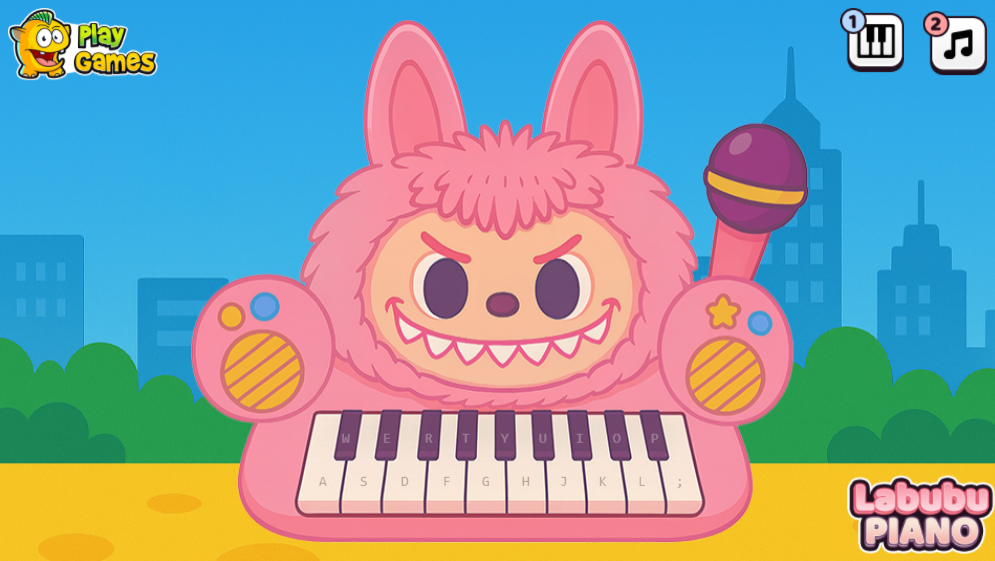
Labubu Piano
Play Labubu Piano online in your browser, tap notes to the beat, and learn how timing, track choice, and note density shape each run.
What to expect
A friendly tap-tile music game where accuracy improves one song at a time.
About Labubu Piano
Labubu Piano is a compact tap-tile game built around timing rather than complicated controls. Notes travel through bright lanes, and your job is to tap as each one reaches its target area. The character theme makes the presentation cheerful, but the real challenge comes from keeping your eyes and hands tied to the beat.
The game works well for short sessions because a song gives you a clear beginning and end. You can start with an easier track, learn how the lane speed feels, and return later to improve accuracy instead of learning a long rule set.
How the Tapping System Works
Each note has a small timing window. Tap too early and the input misses the target; tap too late and the note passes before it registers. The lane animation gives you visual information, but the music provides the more reliable rhythm once the screen becomes busy.
New players often watch the character or the flash effect instead of anticipating the beat. Try to keep your attention near the note path, listen for the repeating pulse, and use the first few notes to settle your tempo. A calm, consistent rhythm usually beats frantic tapping.
How to Play Labubu Piano
Choose a song that feels comfortable, then let the first notes establish the pace. Tap individual notes cleanly and avoid pressing several times in panic when one note is missed. The goal is not to recover with speed; it is to reconnect with the rhythm on the next beat.
For a better practice loop, replay a familiar track at a comfortable density before moving to a faster one. If the music and animation seem delayed, lower the load on your device, close heavy tabs, and test again before changing your technique.
Track Library and Difficulty in Labubu Piano
The library mixes recognizable styles with lighter arrangements, so the best starting track depends on your sense of timing. Shorter songs are useful for warm-ups, while denser patterns give experienced players a tougher accuracy test. Difficulty comes from both speed and the number of notes arriving close together.
There is no health bar pushing you out of a run, which keeps practice relaxed. That also means your main reward is improvement: a cleaner chain, fewer misses, and the confidence to raise the note density when the current setting becomes predictable.
Features of Labubu Piano Game
- Bright lane-based presentation that makes incoming notes easy to spot.
- One-touch input with no instrument controls to memorize.
- Track and density choices for quick practice or a harder challenge.
- Browser access without a separate launcher.
- A forgiving loop that lets you concentrate on timing.
FAQs
Does Labubu Piano require internet access to play?
The browser version needs a connection to load its hosted game frame. Once it is open, individual play sessions do not require you to manage a separate account or launcher.
Why do notes feel out of sync with the music?
Audio latency can come from the device, browser, headphones, or other active software. Try a quieter browser session and a different audio output before assuming the note windows are wrong.
What is the quickest way to improve accuracy?
Use a slower, familiar track and listen for the beat before watching the effects. Build a reliable rhythm first, then increase speed or density in small steps.
For another music-focused challenge, compare the timing of this game with Dancing Cats Music Tiles.