Start with the idea
What Is The Choicer Voicer? The Choicer Voicer Single Mode Explained
🎙️ The Choicer Voicer Single Mode turns solo practice into a small voice studio
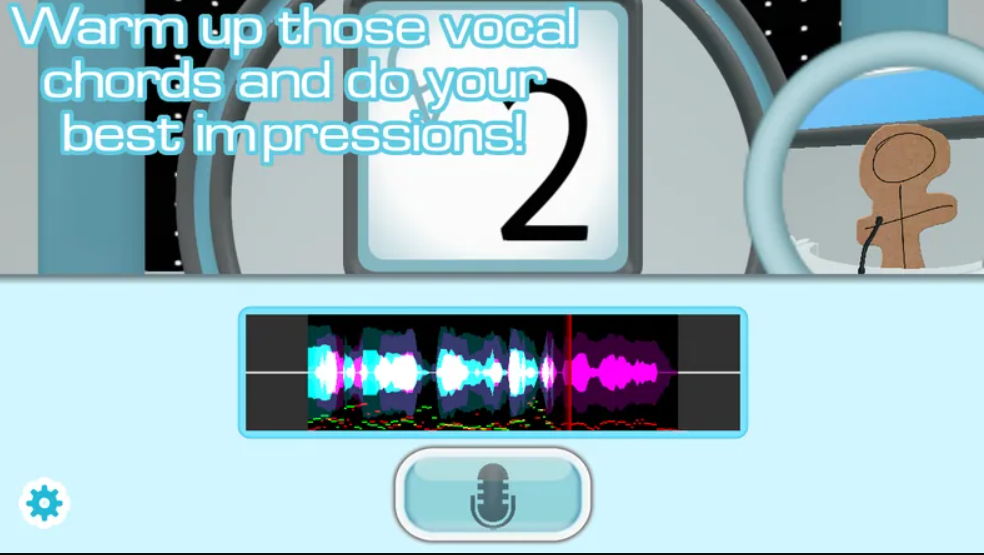
With The Choicer Voicer Single Mode, you can hear a reference line, perform your own version into a microphone, and review the take without assembling a whole party. The browser supplies the scene; your timing, attitude, and imagination supply the performance.
You do not need a naturally “perfect” voice. A confident pause or an unexpected emotion can make a line memorable, which is exactly why private practice is so useful.
A simple round loop
How To Play The Choicer Voicer
Listen once for the words and again for the delivery, then follow this short loop:
- Choose a scene. Pick a voice pack with a length and mood that suit your first attempt.
- Study the reference. Notice pitch, pauses, speed, volume, and emotion.
- Record your take. Commit to one clear delivery instead of correcting every word mid-line.
- Review and adjust. Change one detail, replay it, or continue to the next clip.
Use the first round to learn what the microphone and scene controls are actually showing you.
Pick your session style
Choose Your Way To Play
Start alone, then move the same kind of challenge into a room or stream when you feel ready.
🧍 Single player
Learn a pack and test your input privately.
👥 Local multiplayer
Share one screen and pass the scene around.
📣 Twitch Chat Mode
Give viewers a role beyond simply watching.
🎬 Dub Mode
Take on a longer voiceover scene.
Play in the browser
Play The Choicer Voicer Dub Packs Online
Built-in Dub Packs give you a ready-made scene to open, hear, and perform. Browse by theme, return to the tool, and use a second take to test what you learned.
- 🔎 Start with a short clip while you learn the timing.
- 🎧 Use one listen for words and another for expression.
- 🔁 Replay with one deliberate change instead of guessing.
Find more scenes in the Dub Packs directory.
Make the library yours
Build Your Own Voice Packs
A good custom pack is easy to scan and enjoyable to repeat. Use familiar clips first, then group them by character, mood, theme, or an inside joke.
- 🗣️ Choose clear audio at a comfortable volume.
- 🧩 Mix quick lines with longer scenes.
- 🏷️ Label source, voice, mood, and difficulty.
- ✅ Test a few clips before building a huge collection.
Known material lets you work on rhythm and expression instead of memorizing words during the round.
Read the line, not just the score
What Affects Your Score?
The formula is not the useful part of practice; the feedback is. Pay attention to the details that make a take easy to recognize.
🎚️ Pitch and tone
Follow the rise and fall without forcing an unsafe register.
⏱️ Timing
Match starts, pauses, speed changes, and the ending.
😮 Emotion
Choose an attitude before you speak: tired, smug, or delighted.
🎤 Clarity
Noise, clipping, or a quiet signal can hide good acting.
Shape the presentation
Customize The Studio
The host, judges, and visual setup can change the mood of a familiar pack while leaving its lines intact. Pick a presentation that helps your group concentrate or encourages a bigger laugh.
- 🎛️ Change the setup when a pack feels predictable.
- 🎭 Match the studio mood to the scene.
- 🧪 Use the opening clip as a quick test after every change.
Why it works together
Why The Choicer Voicer Game Works For Groups
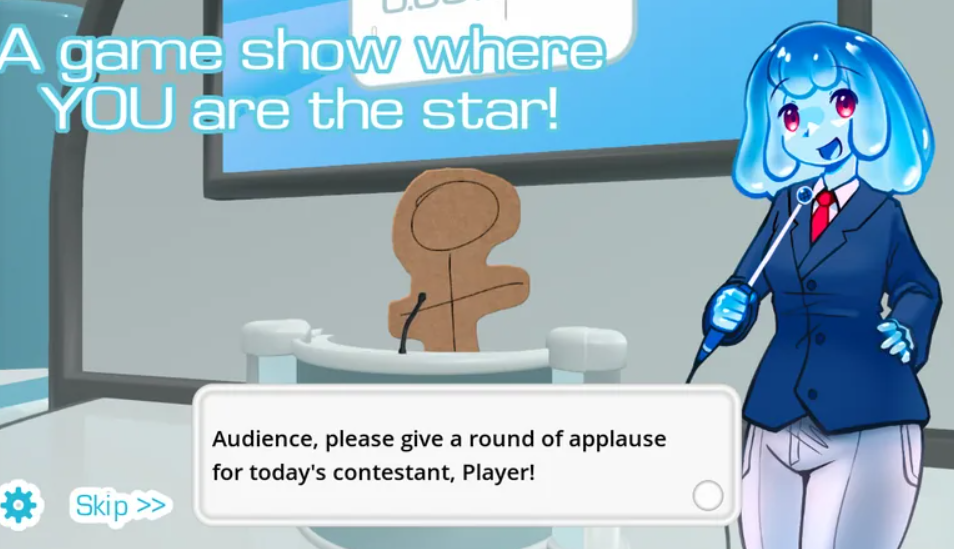
The goal is instantly clear: hear a voice, make your version, and see how the room reacts. Beginners can join without a long tutorial, while experienced performers can still add style.
The same reference also creates different jokes. One player may chase accuracy, another may exaggerate the attitude, and a third may invent a completely new reading.
A first-round playbook
A Simple Session Plan For New Players
A little preparation keeps a new group focused on performing:
- Choose familiar material. Recognizable voices make the first comparison fun.
- Check the microphone. Fix volume, delay, or background noise early.
- Keep round one easy. Let everyone learn the handoff and recording timing.
- Review together. Talk about the detail that worked and the choice that made people laugh.
Turn listening into acting
Tips For Better Voice Impressions
Listen for one landmark in the reference: the highest note, the longest pause, a sharp consonant, or a sudden speed change. Copying that landmark often helps more than exaggerating the entire voice.
Rehearse quietly once, then use full energy. Posture, breath, mouth shape, and attitude can suggest a character without straining your throat.
- 🎵 Hum the pitch contour before speaking.
- ⏸️ Make one important pause intentional.
- 💡 Choose one emotional word to guide the take.
Choose content with a purpose
Choosing The Right Voice Pack
Short clips suit warm-ups and fast rounds; longer scenes give you room to act. Character packs reward close listening, while mood packs invite different interpretations.
Keep a note with each collection’s theme, length, intended voice, and difficulty. Test the reference at a normal speaking volume before sharing it so players know what the round expects.
Before you press record
Start Your First Session Well
- 📦 Pick an existing pack while you learn the round flow.
- 👂 Listen twice: words first, delivery second.
- 🎤 Confirm the input before inviting players or viewers.
- 🎬 Test a short clip before recording a long scene.
- 💬 Explain chat or voting commands before streaming.
Fix the common snags
Microphone and Browser Troubleshooting
🎤 No voice detected?
Check page permission, selected input, system level, and background noise. If a virtual route misbehaves, try a standard stereo microphone.
🌐 The pack will not load?
Wait for the browser build, refresh once, and try another scene. An unavailable reference asset is different from a microphone problem.
Use a current desktop browser for the smoothest microphone experience. If access was denied, change the permission in the browser controls and record again.
Keep exploring
The Choicer Voicer Fan Resources
This independent fan page collects practical starting points for learning the round, finding scenes, preparing a pack, and running a more relaxed session.
📘 How To Play
Review the round flow in the How To Play guide.
🧰 Tips & Tricks
Use the tips guide for delivery and setup ideas.
🎞️ Built-in Dub Packs
Browse built-in scenes when you want a fresh prompt.
🌐 Community packs
Read each pack description and original source page before using it.
This is an independent fan resource; original game materials and pack rights belong to their respective creators.
The Choicer Voicer FAQ
Can I play the single mode without friends?
Yes. Solo play is useful for learning a pack, checking your microphone, and trying different deliveries before a group session.
Does the browser upload my recording?
The local practice tool keeps the active take in the current browser session for replay and feedback. Your recording is not published from this page.
Can I use a custom voice pack?
Yes. Import a compatible ZIP through the private pack tab, then test a short scene before preparing a longer session.
What should I listen for before recording?
Listen for pitch, pauses, speed, emotional attitude, and reference clarity. Choose one detail to copy first.
Why is my microphone not recognized?
Check browser permission, selected input, and system volume. Allow access in the browser controls, then start the recording again.
Is the practice score an official voice-match rating?
No. It is a local practice signal based on the current tool’s capture and timing information, not an official similarity judgment.