Guides guide
How To Play The Choicer Voicer Game
Learn the core loop, game modes, studio setup, scoring basics, Dub Mode, and beginner preparation for The Choicer Voicer.
The Choicer Voicer is a voice-impression party game: load a voice pack, listen to a reference performance, recreate it through your microphone, and see how the active judges respond. Instead of a fixed campaign, the game gives you a studio, a judge panel, and an empty content library to fill with packs. Each round turns a short impression into a small game-show moment.
The Core Loop
Every round is a quick listen-and-perform challenge. The game selects a prompt from the loaded content, presents the reference line, and gives you a short window to make your own version. The judge panel reacts, then the session moves to the next attempt.
The order is easy to remember:
- A prompt comes from the active voice pack.
- You listen for the words, pitch, pace, and attitude.
- You perform the line live into the microphone.
- The judges score the delivery before the next round begins.
Short rounds keep the room moving when several people are taking turns. The score is useful feedback, but a bold choice, a well-timed pause, or a recognizable tone can make a take memorable even when the result is not perfect.
🎙️ Quick listening tip: Focus on the shape of the reference voice rather than trying to copy every sound at once. Notice where the voice rises, pauses, speeds up, or softens, then choose one of those details to reproduce first.
Starting a Session and Picking Content
Your first setup decision is the voice pack. It provides the clips or prompts that make a round possible, so an empty library means there is nothing meaningful to perform yet. Open the Customize menu before you start and load an existing pack, install a compatible one, or select a pack you have tested.
The Customize menu can also control the studio look, host, and judge panel when alternatives are available. Choose the presentation that fits the group, then check browser microphone permission and the selected input device. A short test line is better than discovering a silent recording after everyone has taken a turn.
If you are new, begin with a small starter pack. Learn the round timing first, then organize custom content once the loop feels familiar.
Single-Player, Local Multiplayer, and Twitch Chat Mode
The same voice challenge feels different depending on who fills the studio.
Single-Player
Single-player is the cleanest way to learn a pack. Repeat a prompt, adjust your microphone level, and listen to the judge response without making other players wait. The panel still judges the performance, so solo practice uses the same skill as group play: make the reference readable in your own delivery.
Local Multiplayer
Local Multiplayer supports up to four players sharing one studio and taking turns. Decide the player order and content pack first, then confirm the intended microphone for each person. Keep unused inputs muted so the judges hear the active performer.
Twitch Chat Mode
Twitch Chat Mode lets viewers affect the show through chat commands. Explain the commands before you begin and use a pack that makes the audience’s role obvious. Some chat packs give viewers their own clips to vocalize instead of only letting them trigger prompts.
Game Show Studio Formats
The studio is the presentation layer around the voice challenge. It can change the host, judge panel, and game-show mood without requiring new performance clips. You can reuse a familiar pack with a lively competitive presentation or a calmer setup for learning.
Treat the studio choice as part of your session plan. You are choosing the frame for the performance, not changing the listen, record, and judge loop underneath it.
How Scoring and Judging Works
The active judge panel compares your take with the reference and returns a score or reaction. The game does not publish a scoring equation, but three practical areas give you a useful target:
- Pitch: Follow the rise, fall, and general register of the reference without forcing your voice into an unsafe range.
- Timing: Start on cue and preserve the pauses or quick changes that give the line its rhythm.
- Clarity: Use a clean microphone signal so the system can distinguish your words and delivery from noise or distortion.
Judging is computer-controlled rather than a vote from the room, so the basic system stays consistent between solo and group play. If a score seems low, change one variable at a time: try clearer consonants, a closer rhythm, or a more recognizable emotion.
Game Modes at a Glance
| Mode | What you do | Best starting approach |
|---|---|---|
| Single-Player | Perform judged rounds on your own. | Use it to learn a pack and test your microphone. |
| Local Multiplayer | Up to four players share one studio. | Agree on the pack and input order before starting. |
| Twitch Chat Mode | Let viewers trigger or join parts of the show. | Explain commands and choose a chat-friendly pack. |
| Dub Mode | Record a longer voiceover over a scene. | Test a short clip before committing to a full take. |
The first three modes use short judged rounds, while Dub Mode asks you to maintain a performance for longer. Pick the format that matches your group, stream, or practice goal.
Dub Mode
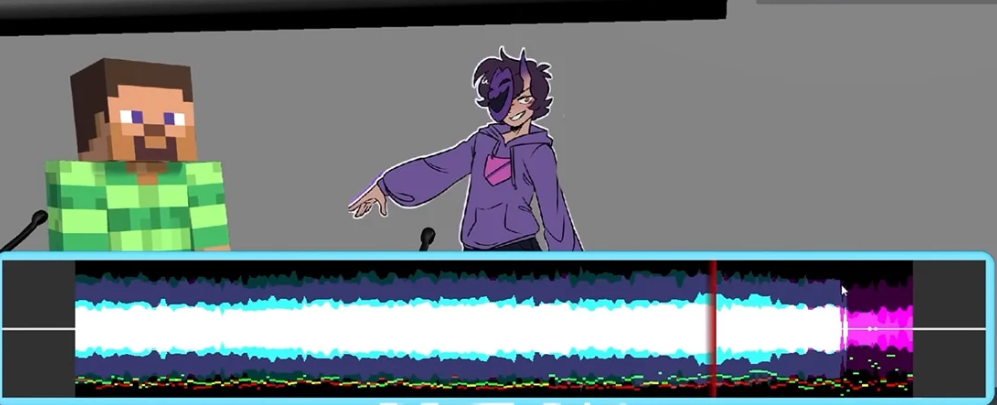
🎬 Dub Mode changes the challenge from a quick line to a sustained voiceover pass. Follow a longer scene, stay aligned with its timing, and keep the character’s attitude steady from the opening line to the final beat. Breath control and consistent emotion matter more than one impressive sound.
Run a short recording first. A microphone dropout or timing problem is easy to fix in a brief test but frustrating after several minutes. Once the setup is stable, listen ahead, leave room for pauses, and avoid rushing.
Beginner Tips
The easiest first session has fewer unknowns. These habits keep the focus on performing:
- Start with an existing voice pack and learn the round flow before creating your own.
- Check browser permission, input selection, volume, and background noise before inviting friends.
- If a surround-sound or virtual audio route behaves oddly, test a standard stereo input first.
- Play a few solo rounds so you can hear how pitch, timing, and clarity affect the judge response.
- If you stream, load a Twitch-focused pack so chat has a clear way to participate.
- Treat Dub Mode as a separate practice skill; a longer take needs steadier timing than a short prompt.
You do not need a trained voice to enjoy the game. Listen carefully, make one clear performance choice, and adjust it after the judges respond. The fun comes from committing to the line, then finding out what the microphone and panel heard.