Guides guide
Mic Fixes in The Choicer Voicer
Troubleshoot recording dropouts, surround-sound setups, local player inputs, Dub Mode reliability, and microphone checks in The Choicer Voicer.
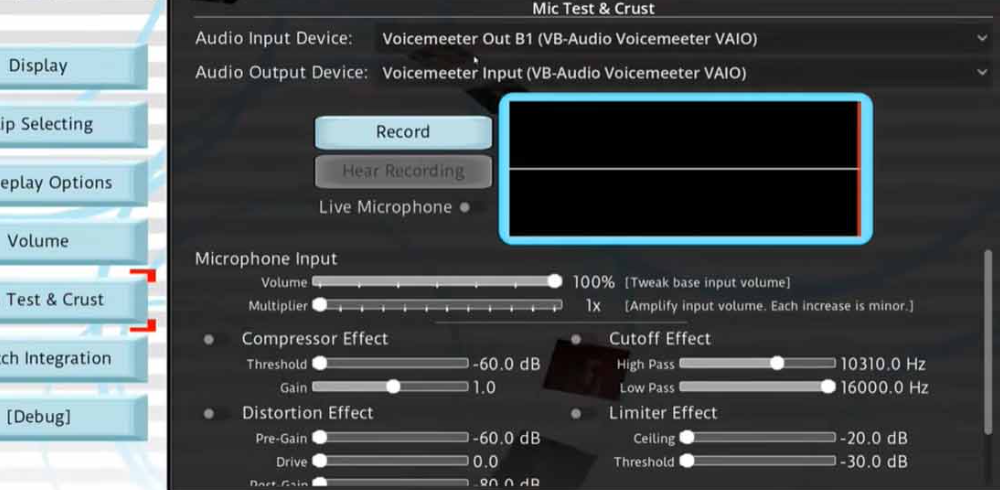
The microphone is the main way you perform in The Choicer Voicer, so an audio problem can stop a round more completely than a normal control issue. If a take cuts out, never appears, or mixes the wrong player into the result, start with the recording path: check the selected input, the browser permission, and the audio route before assuming the content pack is broken.
The Main Problem: Recording Dropouts on Surround-Sound Setups
The most recognizable microphone failure is a mid-round dropout. The game begins capturing your voice, then stops after a few seconds or returns no usable take even though the microphone still looks selected. This happens more often with surround-sound and multi-channel routes, where input and output do not always cooperate cleanly.
Standard stereo is the best comparison point because it removes much of that routing complexity. If a session works on stereo but fails on surround, the audio route is the likely cause rather than the reference line or pack.
For a persistent surround issue, the known workaround is to route the game’s output through a spare device and monitor it externally. It is not a built-in setting, so try standard stereo first and use this extra routing only when the dropout repeats.
| Audio setup | Dropout risk | Practical response |
|---|---|---|
| Standard stereo | Lower | Use it as the baseline and keep it if sessions stay stable. |
| Surround or multi-channel | Higher | Test a short round; repeated failures may need external routing. |
| Virtual audio device | Variable | Check the driver route and compare it with stereo. |
Diagnosing a Dropout Before You Blame the Game
Not every failed recording is the surround-sound problem. A microphone that is silent from the first second usually points to permission, device selection, or another application using the input. A take that starts and then stops deserves a closer look at routing.
Use a very short clip as a controlled test. Confirm browser access to the intended microphone, say one line, and repeat it with the same settings. If it fails immediately, fix the input path first; if it works on stereo but not on the original output, the comparison points to surround routing.
Look for a repeatable pattern instead of reacting to one bad take. Note when it fails, which browser and device are active, and whether another app has claimed the microphone. These details separate a temporary hiccup from a configuration that will interrupt every round.
⚠️ Do not change several settings at once. Test the input, then the output route, then the browser or privacy controls. Changing one variable at a time makes the successful fix much easier to identify.
Mic Assignment for Local Multiplayer
Local Multiplayer supports up to four players in the same studio, and each person should be assigned the intended microphone on the multiplayer setup screen. Have everyone say a short line before the first round and check volume, delay, and background noise.
Keep unused microphones muted and avoid placing active speakers too close together. If two inputs remain open, the game may hear a blend instead of the player whose turn is on screen. When the group shares one microphone, use a clear turn order instead of changing system settings between lines.
Confirm the assignments again when a new group joins. The problem often appears in the results rather than during setup, so it can look like a scoring issue.
Recording Reliability in Dub Mode
Dub Mode makes small audio problems more expensive because a take lasts longer than a judged line. A dropout can waste the entire voiceover pass, and sync trouble may not appear until the scene has been running for a while. Some setups stay aligned; others need a simpler route.
Run a 10–15 second test clip before committing to a full scene. Confirm that your voice is present, the video keeps pace, and the selected input does not change. Headphones reduce reference bleed, and avoiding device changes protects timing.
If a longer scene fails repeatedly, return to standard stereo and shorten the test again. Closing heavy browser tabs may help, but a stable microphone path is the priority.
Pre-Session Checklist
Run this check before a new group, a different browser setup, or any Dub Mode recording. It takes less than a minute and gives you a clean baseline if something goes wrong later.
| Check | Why it matters |
|---|---|
| Selected input | Prevents a silent recording caused by the wrong device. |
| Browser permission | Allows the current page to access the microphone. |
| Short test line | Shows that the input meter and recording path respond before the round. |
| Audio route | Standard stereo provides a useful comparison when surround audio is active. |
| Player assignments | Keeps local multiplayer turns from blending the wrong microphones. |
| Headphones and privacy controls | Reduces reference bleed and prevents browser extensions from blocking the game frame. |
If the problem remains, record the browser, microphone, output mode, and exact failure point. That note is more useful than saying only that “the mic does not work.”
Frequently Asked Questions
The game is not detecting my microphone at all. Is that the surround-sound bug?
Usually not. Silence from the first moment points to browser permission, the selected input, system volume, or another application using the microphone. Surround trouble more often starts as a recording that later drops out.
I use surround sound. Do I have to change my setup?
Not automatically. Some configurations work normally, but surround and multi-channel routes carry a higher dropout risk. Run a short test, compare standard stereo, and consider spare-device monitoring only if the failure repeats.
Why do local multiplayer results contain the wrong player’s voice?
The microphones may not be assigned separately, or unused inputs may still be open. Have each player test their input, mute the others, and repeat the check when the group or hardware changes.
Can I trust a long Dub Mode recording after a short test works?
A short test removes obvious permission and routing problems, but it cannot guarantee perfect sync for a longer scene. Test a 10–15 second segment, avoid changing devices, and return to stereo if the longer recording drifts or drops.
Microphone issues are inconvenient, but they are manageable once you identify the failure pattern. Start with the selected input and browser permission, use standard stereo as your comparison, assign local players before recording, and test Dub Mode in short segments before making a full take. 🎙️